Close Menu
MacSourcesMacSources
  • Apps
  • Devices
    • Accessories
    • Audio
    • Computers & Tablets
    • Gaming
    • Power & Charging
    • Security
    • Smartphones & Wearables
    • Storage & Connectivity
  • Guides
    • How-To
  • Workspace
    • Docks
    • Displays
    • Keyboards
    • Office
    • Printers
    • Seating
  • Deals
    • Deals
    • Gift Guides
  • News & Editorial
    • Apple News
    • Blog
    • Entertainment
    • News

Don't Miss Out!

Get exclusive access the latest news and product reviews from MacSources by signing up for our weekly newsletter!

What's Hot
IQUNIX EV63 Keyboards

LOUD Triumphs at VALORANT Champions 2026; Team Dominates with IQUNIX EV63 Keyboards

October 19, 2026
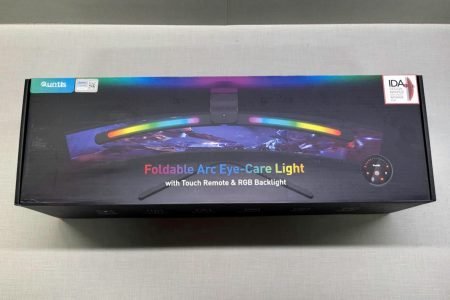
Quntis Curved Monitor Light Bar
9.3

Quntis Curved Monitor Light Bar IM REVIEW RGB Lighting

October 16, 2026
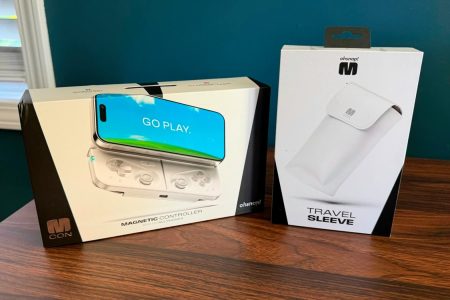
OhSnap MCON Magnetic Mobile Gaming Controller
8.5

Ohsnap MCON REVIEW Big Gaming Energy, Pocket-Sized Package

October 15, 2026
Facebook X (Twitter) Instagram
  • Home
  • Advertise
  • Team
  • About
  • Contact
  • Privacy Policy
Facebook X (Twitter) Instagram
MacSourcesMacSources
  • Apps
    MacPaw CleanMyPhone Mac App
    88

    CleanMyPhone REVIEW Easily Clean Up Your iPhone Photo Library

    August 18, 2026
    Rainbow Weather iOS App
    90

    Rainbow Weather iOS App REVIEW Fast, Accurate Forecasts and Timely Alerts

    August 14, 2026
    TickerNotch macOS App
    97

    TickerNotch REVIEW A Smart macOS Utility for Investors and Traders

    August 6, 2026
    cover
    93

    Fello AI REVIEW One Native Apple App for ChatGPT, Claude, Gemini & More

    July 28, 2026
    VaultSort
    92

    VaultSort REVIEW AI-Powered File Organization and Secure Storage Management for Mac

    July 23, 2026
  • Devices
    • Accessories
    • Audio
    • Computers & Tablets
    • Gaming
    • Power & Charging
    • Security
    • Smartphones & Wearables
    • Storage & Connectivity
  • Guides
    • How-To
  • Workspace
    • Docks
    • Displays
    • Keyboards
    • Office
    • Printers
    • Seating
  • Deals
    • Deals
    • Gift Guides
  • News & Editorial
    • Apple News
    • Blog
    • Entertainment
    • News
  • Home
  • About
  • Advertise
  • Contact
  • Team
MacSourcesMacSources
Home»Featured»Smart Home & Living»Smart Home»Logitech POP Smart Button Kit REVIEW
Smart Home

Logitech POP Smart Button Kit REVIEW

Nicholas CalderoneBy Nicholas CalderoneApril 12, 2020Updated:April 12, 20204 Mins Read
Facebook Twitter Pinterest LinkedIn Email
Logitech POP Smart Button Kit REVIEW
Share
Facebook Twitter LinkedIn Pinterest Email Reddit

POP makes your smart home smarter.

I’ve worked really hard the past few years to change my home over to a ‘smart’ home. I have a wide variety of products — everything from Philips Hue light bulbs to iDevices Smart Outlets — and I’ve tried very hard to connect it all through Apple HomeKit. It’s been a labor of love and a painstakingly long effort, but I feel as though I’ve been successful. Even though I’ve tried to make everything compatible with Apple HomeKit, sometimes that isn’t the best way. The Logitech POP Smart Button changed the way I thought about my smart home devices and how they work together.

The POP Smart Button was created for easy smart home control of your connected devices. It has a simple three-way control and will work with most modern smart home devices including:

  • Smart lights: Philips Hue, Insteon, LIFX, Lutron
  • Blinds: Hunter-Douglas, Lutron
  • Locks: August Lock (requires August Connect or August Video Doorbell Cam)
  • Connected music: Sonos
  • Platforms: SmartThings, Belkin WeMo, IFTTT
  • Remote Controls: Harmony Elite, Harmony Companion, Harmony Hub, Harmony Pro, and other hub-based Harmony remotes

Logitech POP Smart Button Kit REVIEW

The button has a built-in battery that has the life span of approximately five years. One of the thoughts I originally had when this device found its way onto my radar was, “Why do we need a button control for smart home devices? Weren’t we trying to move away from buttons and switches by connecting our devices?” While that might be a true statement, I’ve also discovered that sometimes not everyone in the family has access to the necessary apps to control the smart home products. For example, my 84-year-old grandmother lives with us and she doesn’t connect to our household devices. She has actually taken to making her coffee in the dark because we have Philips Hue bulbs in the kitchen and she doesn’t want to mess up their operation or connectivity. For her, and people like her, the POP smart button is a valuable solution for connecting with smart homes.

Surprisingly enough, there are a lot of activities you can do with the POP smart button.

  • Smart lighting control
  • Home entertainment control
  • HomeKit enabled devices
  • Multiple device combinations

Logitech POP Smart Button Kit REVIEW

When I started researching this device, I found that while it’s HomeKit compatible that’s not really the best use of it. Because it’s a physical button that you click, there really isn’t a good reason to connect it to HomeKit. I mean, what are you going to do — say, “Siri, click the button”? So, given that I decided to set up the POP strictly through the Logitech POP app.

Setup was incredibly easy. You plug the hub into power and then go to the app to connect it to your home WiFi. For me, the POP hub connected in a matter of seconds. Once it did, it pulled the connection information from my phone and in less than 5 minutes I was ready to program the button. What’s really cool is that the POP app pulls information on the devices that are compatible with it that are already connected to your network. I have Philips Hue lights, an LIFX light strip, and the Logitech Harmony Remote/hub. I get super frustrated when I try to start up our entertainment system from the remote because I don’t like to shift through menus just to get to the right command. The POP button has three programmable positions — one click, two clicks, and the long click. So, I programmed the one click and two click positions to two of the programs on the Harmony Hub. Now, we can click the button once and the entire system turns on. There is about a 5-second delay between when you click the button and when the TV program starts to turn everything on. Once it’s all on (TV, Xbox, A/V receiver, and satellite DVR), you can go back to using the Harmony remote as usual. I did find that the remote was a little delayed at first, but after a few seconds, it started operating normally again.

Logitech POP Smart Button Kit REVIEWLogitech POP Smart Button Kit REVIEWLogitech POP Smart Button Kit REVIEW

I’ve not had any issues with the POP smart button at all and I feel that it solves a problem that many smart home fanatics have — smart control for the whole family. It’s expandable and comes in a variety of colors. For a $40 investment for one button, you can have peace of mind knowing that everyone has the power to break away from app control for your smart home.
BUY FROM AMAZON

For more information, visit logitech.com.
Find Logitech on Facebook and Twitter.

accessory HomeKit product review Review smart home
Share. Facebook Twitter Pinterest LinkedIn Tumblr Email
Avatar of Nicholas Calderone
Nicholas Calderone
  • Website
  • Facebook
  • X (Twitter)
  • Instagram
  • LinkedIn

I'm a Tech geek, Photographer, Star Wars fan, and writer for macsources.com I love technology, and what people do when creating amazing apps and products. Find me on Twitter Want to know more? Just ask. Or visit our team page

Related Posts

UGREEN SmarterLiving Launch

UGREEN’s Smart Living Launch Event Shows a Different Vision for the Connected Home

September 3, 2026
Mammotion LUBA mini 2 AWD Mower
83

Mammotion LUBA mini 2 AWD 1500 REVIEW A Smart Robotic Lawn Mower That Makes Yard Work Easy

August 7, 2026
Navimow X430 Robot Mower
90

Segway Navimow X430 REVIEW AWD Robot Mower for Large and Complex Yards

June 22, 2026
Govee TV Backlight 3
92

Govee TV Backlight 3 REVIEW Immersive Lighting That Hits the Sweet Spot

June 9, 2026
Add A Comment
Leave A Reply Cancel Reply

DON'T MISS OUT!

Get exclusive access the latest news and product reviews from MacSources by signing up for our weekly newsletter!

Proton Services
SiteGround Sidebar Ad
Amazon Sidebar Ad
  • Facebook
  • Twitter
  • Instagram
1Password Ad
Recent
IQUNIX EV63 Keyboards

LOUD Triumphs at VALORANT Champions 2026; Team Dominates with IQUNIX EV63 Keyboards

October 19, 2026
Quntis Curved Monitor Light Bar
9.3

Quntis Curved Monitor Light Bar IM REVIEW RGB Lighting

October 16, 2026
OhSnap MCON Magnetic Mobile Gaming Controller
8.5

Ohsnap MCON REVIEW Big Gaming Energy, Pocket-Sized Package

October 15, 2026
LISEN P604 Qi2.2 Magnetic Power Bank
8.8

LISEN P604 Qi2.2 Magnetic Power Bank REVIEW 25W Wireless Charging

October 15, 2026
MacPaw Eney

MacPaw launches Eney, the proactive AI assistant that lives on your Mac and iPhone and handles everyday tasks

October 15, 2026
Post Page Sidebar
MacSources
Facebook X (Twitter) Instagram LinkedIn
  • Home
  • Advertise
  • Team
  • About
  • Contact
  • Privacy Policy
© 2026 MacSources. Hosted by SiteGround.

Type above and press Enter to search. Press Esc to cancel.

Ad Blocker Enabled!
Ad Blocker Enabled!
Our website is made possible by displaying online advertisements to our visitors. Please support us by disabling your Ad Blocker.