Close Menu
MacSourcesMacSources
  • Apps
  • Devices
    • Accessories
    • Audio
    • Computers & Tablets
    • Gaming
    • Power & Charging
    • Security
    • Smartphones & Wearables
    • Storage & Connectivity
  • Guides
    • How-To
  • Workspace
    • Docks
    • Displays
    • Keyboards
    • Office
    • Printers
    • Seating
  • Deals
    • Deals
    • Gift Guides
  • News & Editorial
    • Apple News
    • Blog
    • Entertainment
    • News

Don't Miss Out!

Get exclusive access the latest news and product reviews from MacSources by signing up for our weekly newsletter!

What's Hot
IQUNIX EV63 Keyboards

LOUD Triumphs at VALORANT Champions 2026; Team Dominates with IQUNIX EV63 Keyboards

October 19, 2026
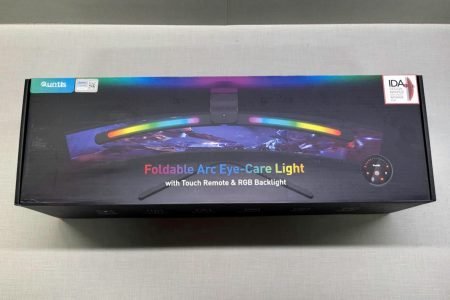
Quntis Curved Monitor Light Bar
9.3

Quntis Curved Monitor Light Bar IM REVIEW RGB Lighting

October 16, 2026
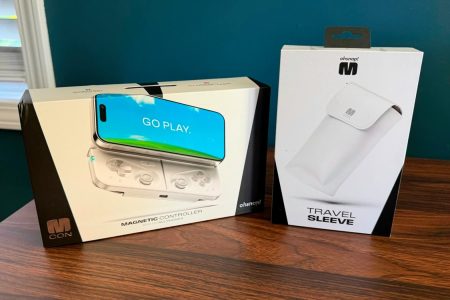
OhSnap MCON Magnetic Mobile Gaming Controller
8.5

Ohsnap MCON REVIEW Big Gaming Energy, Pocket-Sized Package

October 15, 2026
Facebook X (Twitter) Instagram
  • Home
  • Advertise
  • Team
  • About
  • Contact
  • Privacy Policy
Facebook X (Twitter) Instagram
MacSourcesMacSources
  • Apps
    MacPaw CleanMyPhone Mac App
    88

    CleanMyPhone REVIEW Easily Clean Up Your iPhone Photo Library

    August 18, 2026
    Rainbow Weather iOS App
    90

    Rainbow Weather iOS App REVIEW Fast, Accurate Forecasts and Timely Alerts

    August 14, 2026
    TickerNotch macOS App
    97

    TickerNotch REVIEW A Smart macOS Utility for Investors and Traders

    August 6, 2026
    cover
    93

    Fello AI REVIEW One Native Apple App for ChatGPT, Claude, Gemini & More

    July 28, 2026
    VaultSort
    92

    VaultSort REVIEW AI-Powered File Organization and Secure Storage Management for Mac

    July 23, 2026
  • Devices
    • Accessories
    • Audio
    • Computers & Tablets
    • Gaming
    • Power & Charging
    • Security
    • Smartphones & Wearables
    • Storage & Connectivity
  • Guides
    • How-To
  • Workspace
    • Docks
    • Displays
    • Keyboards
    • Office
    • Printers
    • Seating
  • Deals
    • Deals
    • Gift Guides
  • News & Editorial
    • Apple News
    • Blog
    • Entertainment
    • News
  • Home
  • About
  • Advertise
  • Contact
  • Team
MacSourcesMacSources
Home»Featured»Smart Home & Living»Smart Home»Geeni Smart Plug and WiFi Light REVIEW
Smart Home

Geeni Smart Plug and WiFi Light REVIEW

Brian WhartonBy Brian WhartonMarch 24, 2022Updated:March 24, 20223 Mins Read
Facebook Twitter Pinterest LinkedIn Email
Geeni Smart Plug and WiFi Light
Share
Facebook Twitter LinkedIn Pinterest Email Reddit

Geeni brings the power of lighting to your fingertips.

Home automation is all the rage these days. Just a few short years ago all we could do is dream or watch science fiction to see home automation at work. Now we finally get to live in the future. We don’t get our flying cars, hoverboards, personal robots, or instant meals, but we still get the ability to do some more basic tasks around the house from our smartphones, tablets, or computers. Every day we see something new hit the market that makes our life just a little bit easier, just a little bit better, just a little bit more awesome. I am obsessed with lights and anything that will let me automate lights makes me feel like Tony Stark. I want the ability to perform basic functions like turning on and off, dimming the lights to that perfect level, and to be able to change the colors to my moods or with the seasons. There are quite a few solutions on the market, but some tend to get extremely pricey. I do want all of these features, but I am on a budget due to bills and adulthood.

Geeni Smart Plug and WiFi Light

After a little bit of shopping, I landed on the Geeni product line from Merkury Innovations. I got the Energy Tracking Wifi Smart Plug for my wall outlet and the PRISMA 450 Smart Wi-Fi LED Color Light with the Geeni app to control them. Right out of the gate I was slightly discouraged by the enclosed directions. They were on a single page and printed so small that I had to use a magnifying glass to read them. After giving up with them I just decided to figure it out as I went. As it turns out, it went pretty easily. Everything is very straightforward. I followed the prompts within the Geeni app and I was done within a few minutes.

Geeni Smart Plug and WiFi Light

The Smart Plug works like most of its competitors. It’s controlled through your home WiFi connection. You can turn it on and off, set a schedule, and a timer. The energy tracking feature is what sets it apart. For anyone trying to reduce their carbon footprint or just trying to save a little bit of money on their electric bill, this quite the handy feature. I found it very handy for controlling my daughter’s television watching. After setting up a schedule I know when she can watch it and I have the ability to turn the outlet off with a simple click of the button.

Geeni Smart Plug and WiFi Light

The Smart WiFi Light was all for me. After the initial setup, I was playing with everything. Setting up schedules for when the light should come on and what color it would be. I was like a kid in a candy store. With the scenes feature you can have the light change colors automatically. It was really fun to turn the light on and off and change colors on my girlfriend while I was at work. Unfortunately, she didn’t find it so amusing. Now I just need to get myself a few more for each room.

For more information, visit merkuryinnovations.com/geeni

accessory product review
Share. Facebook Twitter Pinterest LinkedIn Tumblr Email
Avatar of Brian Wharton
Brian Wharton
  • Website
  • Facebook
  • X (Twitter)

Brian is a part time tech writer for MacSources.com and full time gamer. He's a very skilled Call of Duty Player and Apple fanboy who has taken his fandom to the next level by tattooing the Apple logo on his back.

Related Posts

UGREEN SmarterLiving Launch

UGREEN’s Smart Living Launch Event Shows a Different Vision for the Connected Home

September 3, 2026
Mammotion LUBA mini 2 AWD Mower
83

Mammotion LUBA mini 2 AWD 1500 REVIEW A Smart Robotic Lawn Mower That Makes Yard Work Easy

August 7, 2026
Navimow X430 Robot Mower
90

Segway Navimow X430 REVIEW AWD Robot Mower for Large and Complex Yards

June 22, 2026
Govee TV Backlight 3
92

Govee TV Backlight 3 REVIEW Immersive Lighting That Hits the Sweet Spot

June 9, 2026
View 4 Comments

4 Comments

  1. Avatar of Frank
    Frank on November 22, 2017 8:07 am

    I have mercury MI-BW921
    I am not able to pair with myiPhone!
    Please let me know your suggestion.
    Thank you,
    Frank A Ansari family

    Reply
    • Avatar of Frank A Ansari
      Frank A Ansari on November 22, 2017 8:19 am

      I have mercury MI-BW921
      I am not able to pair with myiPhone!
      Please let me know your suggestion.
      Thank you,
      Frank A Ansari family

      Reply
  2. Avatar of Floyd Wray
    Floyd Wray on October 26, 2018 4:21 pm

    Useless product (Smart WiFi plug). Purchased 3. Two don’t work, the third is still in the box. I attempted to pair both switches with an iOS, then an Android device. After an hour or so, working with both, neither units seemed even remotely functional. Don’t buy anything from these people until they start building products that work. I’m super disappointed.

    Reply
  3. Avatar of Alissa Gray
    Alissa Gray on December 25, 2018 9:55 pm

    About a week ago I was gifted a two outlet smart plug. It looks like the manufacturer got its act together since the previous reviews were posted. I was up and running in about 5 minutes. I could not believe how easy it was! We are purchasing more this week.

    Reply
Leave A Reply Cancel Reply

DON'T MISS OUT!

Get exclusive access the latest news and product reviews from MacSources by signing up for our weekly newsletter!

Proton Services
SiteGround Sidebar Ad
Amazon Sidebar Ad
  • Facebook
  • Twitter
  • Instagram
1Password Ad
Recent
IQUNIX EV63 Keyboards

LOUD Triumphs at VALORANT Champions 2026; Team Dominates with IQUNIX EV63 Keyboards

October 19, 2026
Quntis Curved Monitor Light Bar
9.3

Quntis Curved Monitor Light Bar IM REVIEW RGB Lighting

October 16, 2026
OhSnap MCON Magnetic Mobile Gaming Controller
8.5

Ohsnap MCON REVIEW Big Gaming Energy, Pocket-Sized Package

October 15, 2026
LISEN P604 Qi2.2 Magnetic Power Bank
8.8

LISEN P604 Qi2.2 Magnetic Power Bank REVIEW 25W Wireless Charging

October 15, 2026
MacPaw Eney

MacPaw launches Eney, the proactive AI assistant that lives on your Mac and iPhone and handles everyday tasks

October 15, 2026
Post Page Sidebar
MacSources
Facebook X (Twitter) Instagram LinkedIn
  • Home
  • Advertise
  • Team
  • About
  • Contact
  • Privacy Policy
© 2026 MacSources. Hosted by SiteGround.

Type above and press Enter to search. Press Esc to cancel.

Ad Blocker Enabled!
Ad Blocker Enabled!
Our website is made possible by displaying online advertisements to our visitors. Please support us by disabling your Ad Blocker.