






Radio Silence is a must-have app to help users maintain system privacy. It's simple to set up and use daily and it's extremely affordable with a one-time fee of $9.
- DESIGN
- EASE OF USE
- PRICE
Safeguard your Mac with Radio Silence: A top-rated networking monitoring app and firewall for macOS users.
Even though I’m a macOS user through and through, I’ve been spending a lot of time recently working on making Windows machines more efficient. My eyes have been opened to just how much ‘bloatware’ is included with system software and how many unnecessary services run in the background on those machines. Trying to cut through the muck to get to the heart of the operating system is difficult because Microsoft wants to get precious data from its users. That means a lot of data is being distributed through network data.
Data privacy is something that has been very important to me and bringing data leak issues to light is something I’ve been trying hard to do when I complete app reviews. Radio Silence is a great tool to help people discover just how much information is going out or coming into their system through their network connections. I was shocked about which apps were communicating the most and which ones really didn’t need much connection at all.

Overview
Radio Silence is a firewall and network monitor developed specifically for macOS machines. The app allows users to monitor and block apps that are making unwanted network connections. This functionality is particularly useful for privacy-conscious users who want to prevent certain apps from accessing the internet without their knowledge or consent.
The app was created by Finnish developer, Juuso Salonen. He primarily used Swift to write the code for the app and while versions 1.x and 2.x used kernel extensions, version 3.x above is based on Apple’s network extensions. Salonen changed to Apple’s network extension because the kernel extensions were notoriously hard to debug if anything ever went wrong.

Radio Silence was originally released in 2010 and is currently on version 3.2. It is lightweight, fast, and always active — even without the main window being closed. It doesn’t cause any pop-ups or clutter up a user’s menu bar. There is a 24-hour free trial available and users can purchase the full use of it for only $9. There is a 30-day money-back guarantee and it works with macOS 10.15 or newer — on macOS machines with M1, M2, M3 & Intel chipsets.

Privacy Policy
According to the developer, Radio Silence follows the simplest privacy policy — it doesn’t collect or send any data to the developer. In his words, “The app’s main point is to catch other apps phoning home, so it wouldn’t be fair for it to phone home itself.” The full privacy policy can be found here.
Main Features
- Works with all Macs: Intel, M1, M2 & M3
- Prevent apps from phoning home
- Protect your privacy
- No annoying pop-ups
- No clutter on your screen or menu bar
- No effect on your Mac’s performance
- Finds hidden helpers and background processes including helper apps, invisible background processes, daemons, XPC services, and more
- Child processes of blocked apps are blocked, too
- Blocked apps can’t access the network but can still talk to local processes
Version 3.2 Release Notes
- Better app identification and blocking
- More robust startup, leading to fewer situations where the app might not see network traffic at all
- Performance improvements
- Better dark mode support
- Outbound and inbound connections are now distinguishable in the connections list, and the port column shows the port connected to for inbound connections
- Installation guidance for macOS Monterey and Ventura
Pricing and Availability
Radio Silence is only available from the developer’s website — radiosilenceapp.com/download — and all sales are handled by FastSpring. There is a free trial and the purchase price of the app is $9.
The app is not available in the Mac App Store because, “Firewalls like Radio Silence can’t be sold through the App Store, because they have to peek inside the operating system to see the network connections of other processes. The App Store doesn’t accept applications that need this privilege.”


User Experience
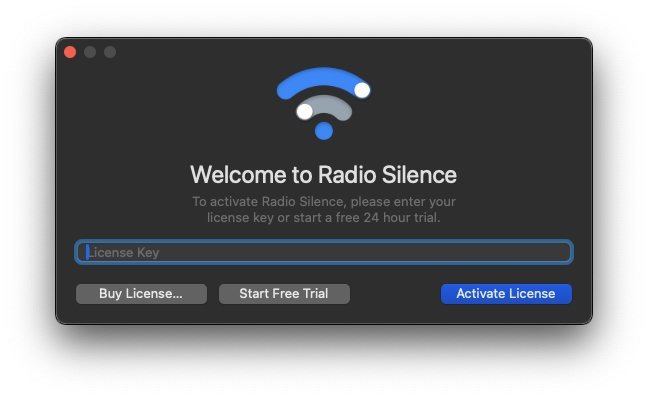
Radio Silence is very easy to set up. Once you download and install the app, you will end up having to allow certain permissions in order for the app to function properly. As soon as that step is complete, the app is ready to work. You are given the option to enter a license key, buy a license, or start the free trial. Once you make your selection, the app presents you with the Dashboard, which has two tabs — Firewall and Network Monitor.
The Firewall tab will show you what apps have been blocked and if the firewall is active or not. The Network Monitor tab will show all the apps, helpers, and services that are calling out from your system. Not only that, but it will show you how many calls it is making. You can then click on ‘block’ or the number of calls to see exactly what is being transmitted and where.
For the most part, I wasn’t surprised about the apps that were making network calls. It was things like Mail and Notion Helper, which calls out to Notion because the Mac app isn’t a native Mac app. It’s a web app and a network connection is required in order for the app to function. Mail, of course, had to make calls to retrieve messages. Many of the apps only made 1 or 2 calls. There were, however, a few apps that caught my eye. mDNSResponder was one.

It consistently made hundreds of calls. Even though it had such a large volume of network traffic, it didn’t surprise me given what it’s supposed to do. According to a thread on discussions.apple.com, mDNSResponder is a process required for discovering Macs used for Back to My Mac as well as related Bonjour device discovery features. It’s required for proper operation of the operating system so users should not delete it or make any attempt to prevent it from working.
The app that really caught my eye was Logi Options+. This app is a third-party app that is used to control the functions of Logitech devices connected to your system. I wasn’t surprised that there were some calls but within the first 60 seconds of starting up Radio Silence, there were more than 230 calls being made but Logi Options+. As a basis of comparison, mDNSResponder only had 28 calls in the same amount of time. At the time, I decided to remove the app from my system.

I opted to reinstall it because I really like the customization the helper app offers for my MX Anywhere mouse. When I reinstalled it, I found that the app only made calls in the initial installation process and wasn’t tying up network traffic like it was when I made my initial assessment. I made sure that all the automatic connections — such as updating firmware or the app — were turned off. This does put the ownership on me to make sure everything stays up to date, but I would rather have to press a couple of extra buttons every now and then than have Logitech making hundreds of calls from my system.
Conclusion
In the realm of operating systems, the quest for efficiency and privacy often leads users down unexpected paths and reveals layers of unnecessary background services that tie up network traffic. Amidst this landscape, tools like Radio Silence emerge as beacons of control, offering macOS users the means to decipher and regulate the flow of network data, aligning with the growing concerns surrounding data privacy.

With its transparent privacy policy and straightforward functionality, Radio Silence empowers users to reclaim agency over their digital footprint, enabling informed decisions regarding app permissions and network access. As individuals continue to navigate the intricate web of data exchange, tools like Radio Silence serve as indispensable allies in safeguarding privacy and promoting a more transparent digital ecosystem.
For more information, visit radiosilenceapp.com.


