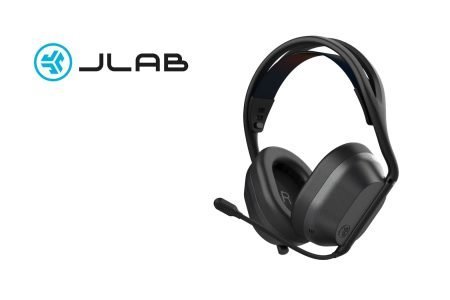
The Ultimate Comfort for Long Calls or Overpriced Investment?
The Jabra Engage 55 is a well-rounded headset, ideal for professionals who prioritize comfort, audio clarity, and ease of use. However, the premium price and absence of modern features like USB-C and noise cancellation might leave some potential buyers hesitating.
PROS
- Excellent Audio Quality
- Comfort
- Plug-and-Play
- Good Battery Life
- Adjustable Microphone
- Call Indicator Light
- Microsoft Teams Certified
- Convenient Accessories
CONS
- Pricey
- Micro-USB Connection
- Not suitable for all devices
- No Noise Cancellation
- DESIGN
- EASE OF USE
- PRICE
Headset has great plug-and-play functionality and sound quality.
Are you tired of headsets that leave you feeling fatigued after long calls? The Jabra Engage 55 USB A Stereo might just be the solution you’re looking for. Combining comfort, exceptional audio quality, and effortless connectivity, this dual-speaker headset is designed for the modern professional who values clarity in both voice and sound. With its flexible microphone placement, impressive battery life, and user-friendly plug-and-play setup, the Engage 55 ensures you stay engaged without the hassle. But before you dive in, let’s explore the pros and cons of this promising headset to see if it’s the right fit for your needs.
About
The Jabra Engage 55 is a dual-speaker headset that allows for microphone placement on either the left or right side. Included with the headset are a charging dock, a carrying case, a USB dongle, and a USB charger. The case conveniently holds both the headset and the USB dongle. When placed in the charging dock, the headset will charge simultaneously. The packaging indicates that the headset is certified for Microsoft Teams.

Unboxing and Usage
Upon opening the box, I found the headset, charger, and USB dongle neatly packed in the accompanying case. Beneath that was the charging dock, which not only serves as a resting place for the headset but also charges it. I began by plugging the dongle into my Yealink IP phone, and to my surprise, it connected immediately—requiring no additional software or setup, making it fully plug-and-play.
The phone automatically switched to headset mode once it recognized the dongle. After numerous phone and conference calls, I received feedback that the microphone quality was clear and easy to hear. The mic is adjustable to either the left or right side for personal comfort, and it features an indicator light to signal when you’re on a call.

This headset stands out from Jabra’s other offerings, as it has two speakers—one for each ear. Most of their other call-focused headsets typically have a single speaker accompanied by a rubber pad that sits above your ear. I prefer the dual-speaker design, as it prevents the fatigue, I often experience with headsets that use a single speaker and rubber padding.
After several hours of use with the Jabra Engage 55, I’m pleased to report that I experienced no head fatigue. The audio clarity during both phone calls and Microsoft Teams meetings was exceptional, and the microphone’s adjustable arm allows for optimal positioning for sound clarity.
The battery life is claimed to last up to 13 hours, and my experiences confirmed this as I managed to achieve around the same duration. The stated charge time is between 2.5 to 5 hours, providing users with the ability to quickly recharge the headset. A battery life of 13 hours is ample for most workdays.
Pricing and Availability
The Jabra Engage 55 is available on Amazon for $238 without the stand and $298 with it. It can also be found directly on Jabra’s website for $239 without the stand and $298 with it.

Pros & Cons
PROS
- Excellent Audio Quality: The dual-speaker design provides clear and immersive sound, with exceptional audio clarity for both phone calls and virtual meetings.
- Comfort: The lightweight design and adjustable microphone help to reduce head fatigue during long usage periods, making it ideal for extended work sessions.
- Plug-and-Play: Easy setup with no additional software required; it connects seamlessly with compatible devices (e.g., Yealink IP phone) immediately upon plugging in.
- Good Battery Life: With a battery life of up to 13 hours, it supports most workdays without needing frequent recharges, and the quick charging feature enhances usability.
- Adjustable Microphone: The microphone can be positioned on either side of the headset, allowing users to customize their comfort and audio capture.
- Call Indicator Light: The built-in indicator light signals when you are on a call, helping to manage interruptions.
- Microsoft Teams Certified: Being certified for Microsoft Teams ensures compatibility and optimized performance for users who frequently rely on this platform.
- Convenient Accessories: Comes with a charging dock, carrying case, USB dongle, and charger, making it a comprehensive package for portability and easy charging.
CONS
- Pricey: At $238 without the stand and $298 with it, the headset may be considered expensive for some uses, especially when compared to other headsets on the market.
- Micro-USB Connection: The use of a micro-USB connection can be seen as outdated in 2024, especially as USB-C options become more prevalent.
- Not Suitable for All Devices: While it connects easily with IP phones, users with limited compatibility may face challenges when using it with other devices or older systems.
- No Noise Cancellation: While audio quality is clear, it may lack active noise cancellation features that some competitors offer, potentially affecting performance in noisy environments.

Conclusion
The Jabra Engage 55 is an outstanding headset that justifies its price with remarkable battery life and exceptional comfort. Jabra is a renowned brand known for its commitment to quality products and superior audio performance. I would recommend this headset to anyone frequently using Microsoft Teams or a compatible IP phone. Its lightweight design and dual stereo speakers effectively eliminate fatigue during long sessions.
I also wish the unit had some sort of noise cancelation. However, I would advise potential users to consider the USB-C model, as my version utilizes a micro-USB connection, which seems a bit outdated in 2024. Nevertheless, this does not detract from the overall quality of the product, especially since a newer USB-C model is readily available for purchase. Ultimately, the Jabra Engage 55 is a solid investment for anyone in need of a dependable, comfortable headset that delivers on all fronts.
For more information, visit jabra.com