Premium Sound and Comfort, Hampered by Setup and Compatibility Issues
The design is solid, offering impressive comfort for long gaming sessions. The adjustable microphone and headband are practical, and the RGB lighting adds a nice touch when fully functional. However, the lack of mobile app support for RGB customization and Sound ID on platforms other than PC/Mac limits its appeal. While the initial setup on some platforms is easy, multiple issues with updates, lack of iOS support, and the finicky behavior on Mac significantly reduce ease of use. The missing documentation on certain features, like sidetone, adds to the frustration. The headset is competitively priced for its premium features, like Dolby Atmos and its comfort. However, given the limitations with mobile and Mac compatibility, it may not offer full value for users who need multi-platform functionality. For PC gamers, the price is reasonable for the quality offered. the headset is competitively priced for its premium features, like Dolby Atmos and its comfort. However, given the limitations with mobile and Mac compatibility, it may not offer full value for users who need multi-platform functionality. For PC gamers, the price is reasonable for the quality offered.
PROS
- Premium Sound Quality: Features immersive Dolby Atmos sound, enhancing the gaming experience.
- Clear Communication: Adjustable microphone with flip-to-mute functionality ensures teammates can hear you clearly.
- Comfortable for Extended Use: The adjustable headband and overall design contribute to reduced fatigue during long gaming sessions.
- Easy Unboxing and Initial Setup: Straightforward packaging and quick connection to devices, such as the iPad.
- Customizable Design: RGB lighting can be adjusted in real-time via the software on PC/Mac, allowing for personalized aesthetics.
- Sound ID Feature: Offers tailored audio experience based on personal preference, despite limitations on subsequent EQ adjustments.
CONS
- Setup Issues: The headset experienced significant problems when updating via Mac, leading to frustration during setup. Compatibility issues with macOS were evident as setup failed on multiple systems.
- Lack of Mobile App: No dedicated iOS app for mobile device customization, limiting control over RGB and Sound ID settings when using an iPad or other mobile platforms.
- Sound ID and EQ Compatibility: Once Sound ID is set, EQ adjustments are locked out; this compatibility issue hampers flexibility in audio tuning on mobile devices.
- Inconsistent Performance: Audio quality deterioration when switching between devices or when not on PC/Mac. Issues with microphone features such as
- Charging Cable Limitations: The included USB-C cord only charged the headset and had compatibility issues with other devices.
- Changing RGB Settings: RGB lights revert to static white when not connected to a PC/Mac, which reduces personalization when using mobile devices.
- DESIGN
- EASE OF USE
- PRICE
Headset has impressive audio and comfort, but falls short on mobile and Mac Compatibility
The Corsair HS80 Max Wireless Gaming Headset offers impressive sound quality and comfort for extended gaming sessions. However, it is hampered by setup challenges, lack of mobile compatibility, and limited customization options outside of PC use. I also tested the headset on a PS4, and it worked with no noticeable issues other than the same RGB and Sound ID issue I already mentioned when switching from Mac to iPad. Users should consider these factors based on their specific gaming setup and expectations.
About Corsair HS80 Max Wireless Gaming Headset
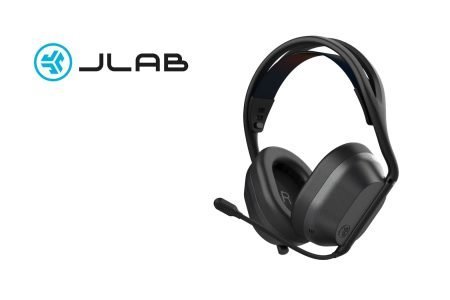
The Corsair HS80 Max is a multi-platform gaming headset that promises premium quality and immersive Dolby Atmos sound. It features an adjustable microphone with a convenient flip-to-mute option, ensuring that your friends, teammates, or rival players will always hear you clearly. To mute the microphone, simply flip it up; you’ll hear an audible beep confirming that you are now muted. The headset is equipped with an adjustable headband to prevent fatigue during extended use. Additionally, it offers customizable RGB lights and a tailored “Sound ID” option accessible through the iQUE app.

Pricing and Availability
For headset is available on both Amazon for $170.68 and Best Buy and Corsair’s website directly for $179.99 (at time of publishing).
Unboxing and Setup
The product packaging is straightforward and easy to unbox. I started by fully charging the headphones before proceeding with the setup. To my surprise, they quickly connected to the USB dongle on my iPad, allowing immediate use without any setup. However, when searching for a setup app on my iPad, I was disappointed to find that a headset designed for mobile did not have an iOS app. Instead, I plugged the dongle into my Mac Mini and began downloading the application. After downloading, I was prompted to perform an update on the headset; unfortunately, this update failed multiple times, necessitating several restarts before I could continue setup.
After being unable to update the headset, I moved on. Moving on to the Sound ID setup, I found it to be a smooth process that took about five minutes. However, once configured, I could no longer adjust any EQ settings, as the Sound ID took precedence. After the setup, I attempted to change the RGB colors of the headset via the software. I was pleased to see the colors changing in real time as I adjusted them in the software.

Curiously, I came across a setting labeled “sidetone,” but no information was available in the software, quick start guide, or on the website regarding its purpose. Adjusting this slider initially made no noticeable difference. Afterward, I switched back to my iPad by plugging the dongle from my Mac Mini, but the RGB lights stopped changing colors, and the audio quality worsened compared to my test files on the computer. The audio quality did get better after power cycling the headset.
Interestingly, I had issues with the USB-C cord provided with the headset, as it would only charge the headset and not any of my other devices. My senior editor encountered the same problem but was able to get it to charge his Android phone.
Playing Call of Duty Mobile, my senior editor, who was also testing the same headset, inquired whether I had enabled a “passive mode.” Since I hadn’t seen mention of this feature in the specs, I was puzzled. My senior editor explained that “sidetone” is a feature that allows some background noise to come through the mic, helping you gauge your volume while playing and preventing accidental yelling—something I realized I had already activated, but it wasn’t working on my headset. After confirming we both used a Mac, I retried adjusting the settings on my Mac Mini but to no avail.

Suspecting the earlier update issues might be the cause, I deleted and reinstalled the software, which yielded no improvement. I also attempted setup on my 2023 MacBook Air, but the same issues persisted. I spoke with my colleague again, who reported no problems with the setup or updating on his Mac. To rule out device issues, I performed a full reset and OS reinstallation on my 2023 MacBook Air. Unfortunately, this effort did not resolve the problem. Eventually, I resorted to using a Dell laptop. After downloading the software again, I successfully updated the headset and enabled the sidetone feature without further issues. I remain unsure why the device setup failed on my Mac computers despite numerous restarts and reinstalls.
Usage
After overcoming a frustrating setup on my Mac, I returned to playing Call of Duty Mobile via my iPad with the USB dongle to team up with friends. Multiple players commented that my microphone was very clear and easy to understand. Collaborating with my senior editor to join in game allowed me to hear the audio from the mic directly; it was indeed very clear and easy to hear. The microphone is adjustable, so if you’re too loud, you can easily reposition it further away from your mouth.

After wearing the headset for several hours, I was pleased to note that I experienced no fatigue, unlike other headsets I’ve used. Corsair has done an excellent job designing the headset for comfort during extended gaming sessions. However, I was disappointed to discover that RGB lighting became non-customizable unless connected to a PC or Mac with iCUE running; it reverted to a static white color and would not change.
Additionally, it appeared that the Sound ID was not compatible with mobile devices. Once I switched to my iPad, I could adjust EQ settings via the button on the headset, which typically gets locked out after establishing the Sound ID. It would be beneficial if Corsair provided an iOS app for modifying both RGB and Sound ID settings. Notably, mobile support seems to have been removed from both Corsair’s website and Best Buy, although it remains printed on the product box and listed on Amazon. Initially, I found the headset advertised as mobile-compatible, but it appears that this has changed. The website also states that Dolby Atmos only functions on PC, meaning neither Mac nor iOS support exists, despite the ability to toggle it in the Call of Duty settings.

Conclusion
In conclusion, the Corsair HS80 Max Wireless Gaming Headset showcases impressive audio quality and comfort, making it well-suited for gaming enthusiasts who prioritize long sessions and immersive sound. The standout Dolby Atmos feature elevates the experience, while the adjustable microphone ensures clear communication with teammates. However, the headset is not without its shortcomings; users may find themselves frustrated by the various setup issues and lack of mobile compatibility. The absence of an iOS app for customization and the problems encountered during installation—especially on Mac—detract from an otherwise high-quality product.
While the headset performs admirably on the PS4, the persistent RGB lighting and Sound ID limitations when switching to mobile devices are notable drawbacks for those wanting full functionality across platforms. Overall, potential buyers should weigh these pros and cons carefully against their specific gaming needs and setups before making a purchase. Nevertheless, for those who predominantly game on PC, the HS80 Max can undoubtedly enhance the overall experience.
For more information, visit corsair.com